Move faster with Ctrl-K global search, Alt-N quick-create, and the rest of the map.
Manuall works fine with the mouse, but a few shortcuts speed up the common moves. The two big ones are Ctrl + K (search and jump anywhere) and Alt + N (create anything).
Global
Shortcut
Action
Ctrl + K (Win) / Cmd + K (Mac)
Open global search. Searches customers, jobs, estimates, invoices, equipment, team, parts, leads, and KB articles.
Alt + N
Open the quick-create menu (New Customer / Job / Estimate / Invoice / Lead). Arrow keys or Tab move between items, Enter picks, Esc closes. Only shows what you can create.
Arrows in the search overlay
Move between results.
Enter
Open the highlighted result.
Esc
Close any open popover, modal, or dialog.
Global search prefixes (Ctrl + K)
Lead your query with a prefix to scope it.
Type
Result
@go <name> (also @page, @nav)
Jump to a page (for example @go invoices, @go settings).
@job <term>
Search jobs only.
@invoice / @estimate / @customer / @lead
Search that record type only.
@equipment / @part / @team / @kb
Equipment, parts, team members, KB articles.
<term> (no prefix)
Searches pages and every record type at once.
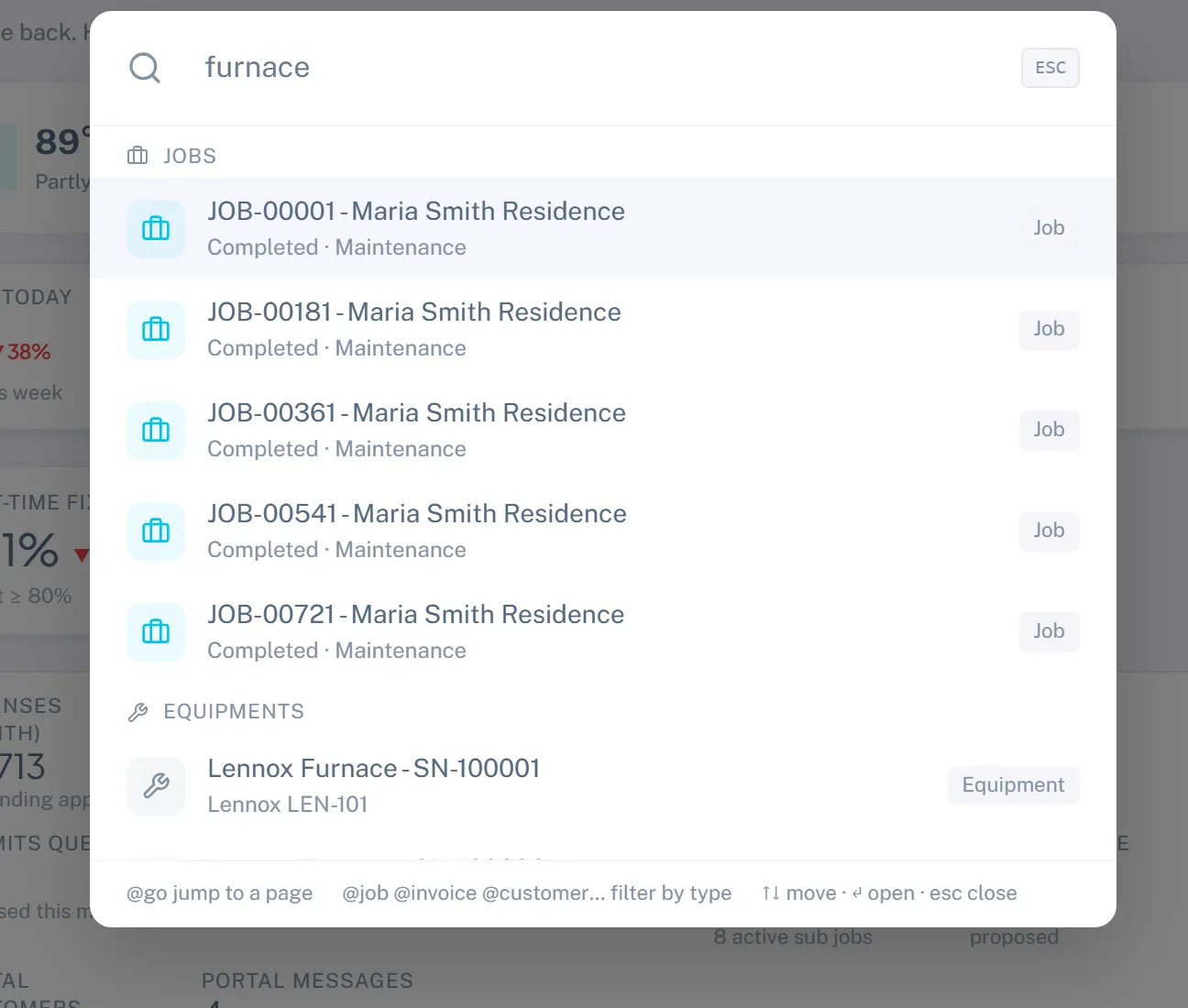
Ctrl + K from anywhere. Results are grouped by record type; arrow keys move, Enter opens.
Forms
Shortcut
Action
Enter in a text input
Submit the form (guarded against double-submit).
Esc
Close the modal or popover (cancels unsaved changes).
Chat
Shortcut
Action
Enter
Send the message.
Shift + Enter
New line without sending.
@
Open the mention picker.
Native browser shortcuts that work everywhere
Ctrl/Cmd + Click a link to open it in a new tab. Handy for keeping a customer open in one tab while you jump to a job in another.
Ctrl/Cmd + R reloads the page and clears in-flight UI state.
Ctrl/Cmd + Shift + R hard-reloads and busts the local cache, useful after a release if something seems stale.
Tab / Shift + Tab move through form fields; Manuall keeps a logical tab order on every form.