
Calendar
Month, week, day, list, timeline, and team views of every scheduled job.
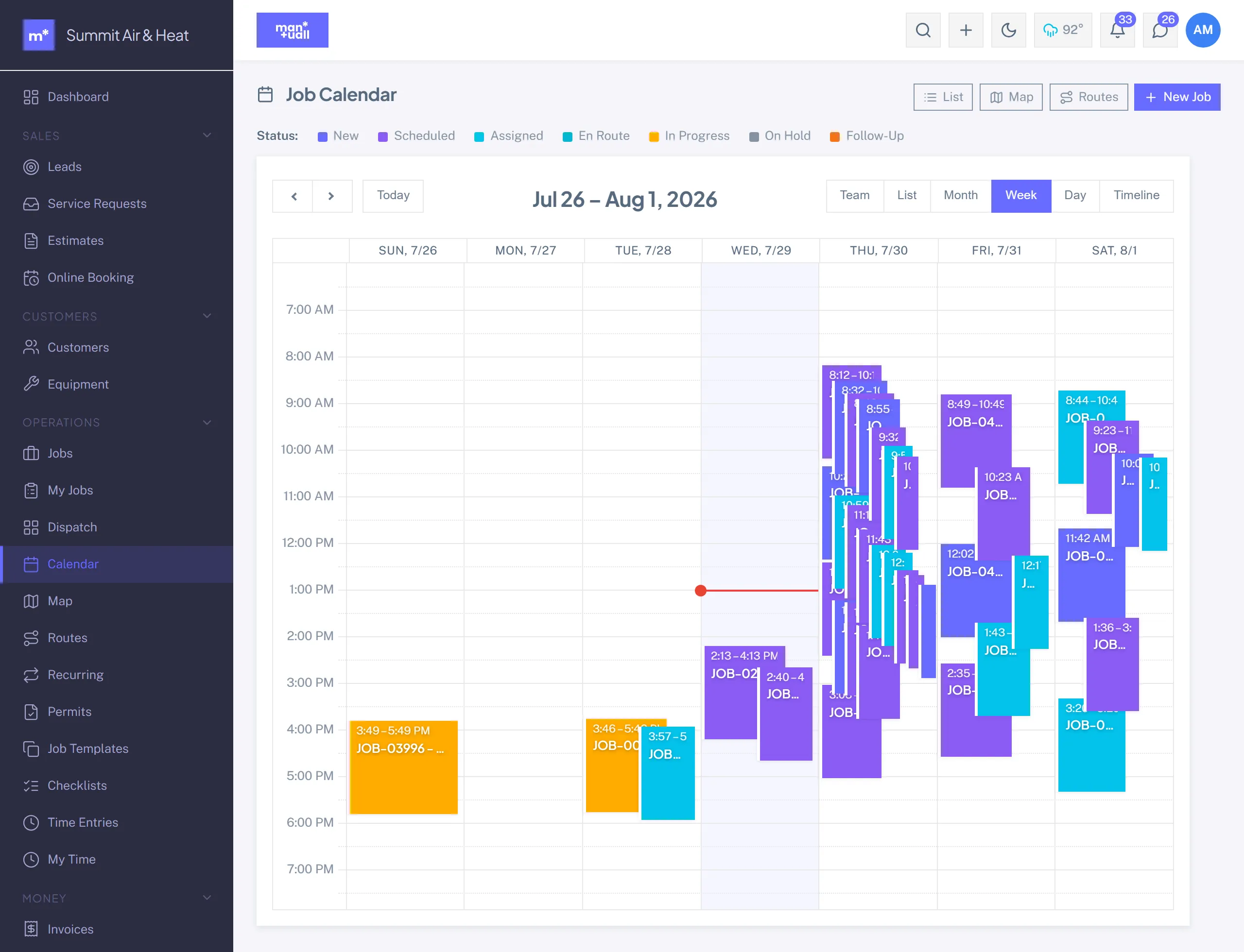
Calendar (/jobs/calendar) is a multi-view scheduling surface. Pick the view that matches what you are trying to do. Your last-used view is remembered.
| View | When to use |
|---|---|
| Month | Look a few weeks out. Count of jobs per day. |
| Week | The default. Hour by hour, drag to reschedule. |
| Day | A tight day with many jobs. |
| List | Print-friendly, sortable text list. |
| Timeline | One row per tech, jobs as bars across the hours. |
| Team | Like Timeline, spanning several days. |
Common actions
- Drag a job to a new slot. It saves on drop.
- Click an empty slot to quick-create a job there.
- Click a job for full detail.
- Filter by status, tech, or service area.
- Switch surfaces with the List / Calendar / Map / Routes toggle in the page header.
Business-hours shading
Your working hours (Settings -> General) shade the background; off-hours sit dimmer. It makes an accidental Saturday booking jump out.
Blockers
Non-job events (PTO, training, vehicle service) show alongside jobs. Add them from Team -> a tech -> Availability.
It mirrors the slot finder
The Calendar is the picture; the slot finder is the engine. Whatever the finder respects (working hours, per-tech schedules, blockers, service radius) is what the Calendar shows.
Plan tier
Calendar is part of Jobs and Scheduling: every plan.