
Integrations
Stripe Connect, Telnyx SMS, QuickBooks Online, and the public API + webhooks.
Manuall connects to the outside world four ways: Stripe Connect for payments, Telnyx for SMS, QuickBooks Online, and the public API plus webhooks. Each has a different setup model.
Stripe Connect (Payments): your own Stripe account
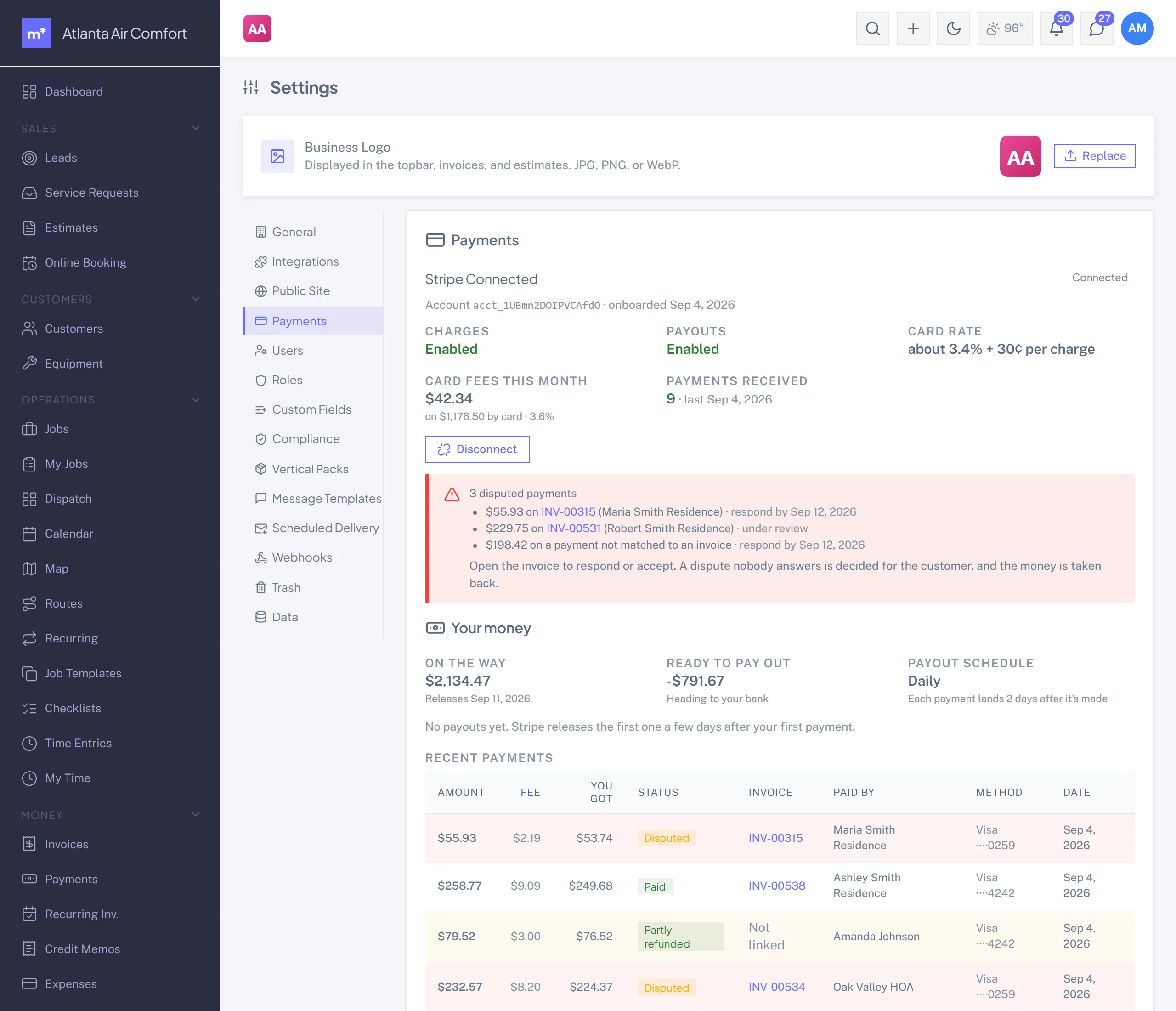
Settings -> Payments. Click Set up payouts with Stripe to run Stripe's hosted onboarding (business info, identity, bank account, review). Come back and the tab reads "Connected," and your portal can take card payments.
- You own the Stripe account. Charges land on it and Stripe pays your bank on its own schedule (roughly T+2 to T+7 in the US).
- Card payments run about 3.4% per transaction, all-in. Stripe deposits the net.
- Chargeback risk and merchant-of-record liability are yours, on your account.
- The tab is your dashboard: balance, what's on the way, recent payouts (click one to see which invoices were in it), open disputes, and anything Stripe still needs from you. Stripe emails the account contact too; Manuall emails your admins when something new is due or payouts pause, and again when it's cleared.
Already have a Stripe account? Use the "Use an existing Stripe account" link to connect it through Stripe Connect Standard OAuth instead of the hosted onboarding.
SMS: platform-managed
- No vendor credentials to paste.
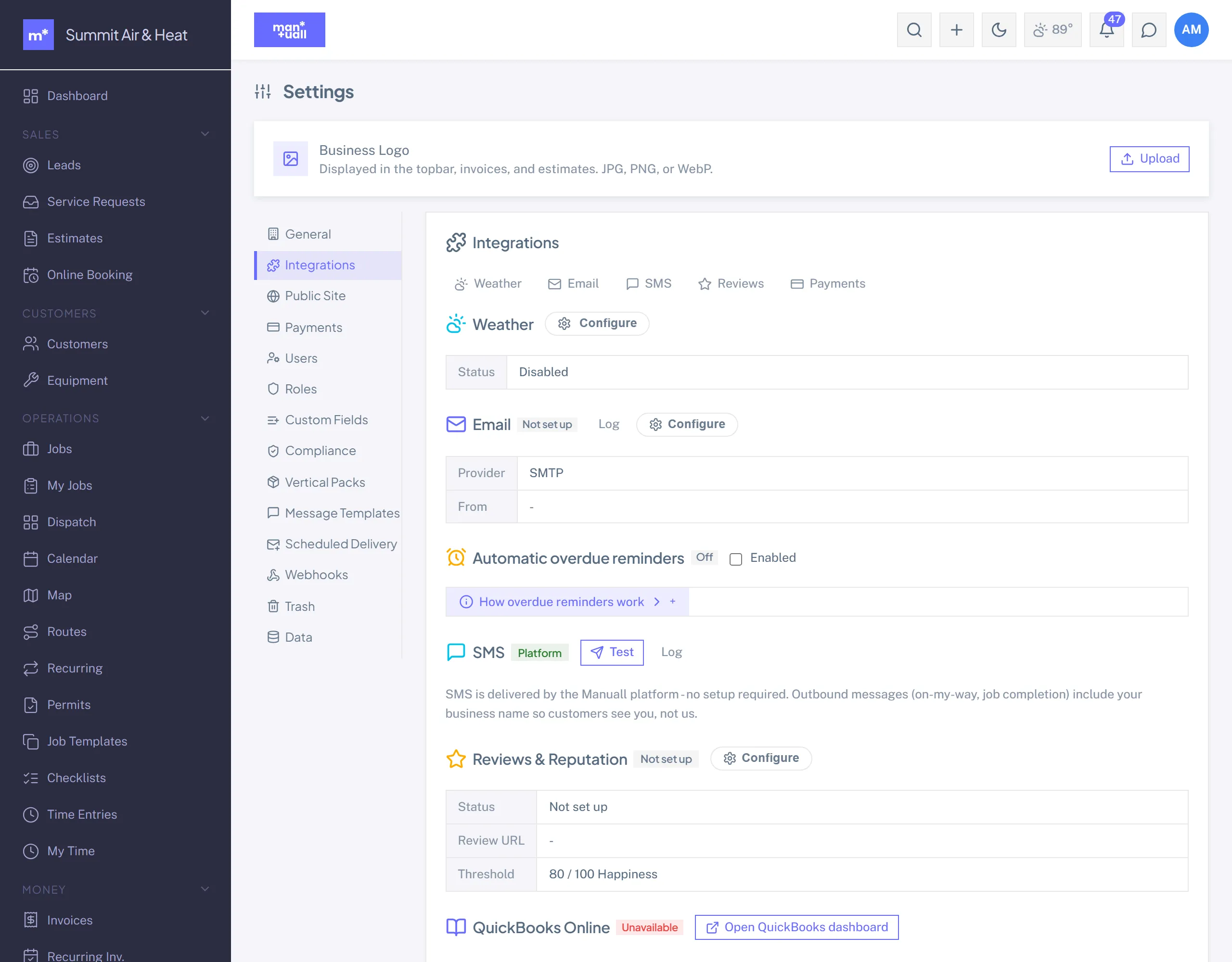
- Sends go from a shared platform number (Telnyx).
- STOP and opt-out are handled at the carrier level (you don't see STOP replies).
- The cost is bundled into your plan, no per-message bill.
Manuall handles the outbound side for you: appointment reminders, "tech on the way" texts, and survey invites all go out from the shared platform number with nothing to wire up.
QuickBooks Online: two-click connect
Manuall runs one platform-owned Intuit app, so there are no developer credentials to create.
- Settings -> Integrations -> QuickBooks -> Connect to QuickBooks.
- Sign in to Intuit and authorize your company.
- Done. Customer, invoice, and payment changes push to QBO (one-way, outbound).
See QuickBooks Online.
Public API: bearer-token auth
The public read API is a Business-tier feature.
- Each user generates their own key at Profile -> Public API Key -> Generate.
- Copy it then; the full key is shown once (Manuall keeps only a hash).
- Send it as
Authorization: Bearer your-key.
Read-only endpoints at /api/v1/* cover customers, jobs, estimates, and invoices.
Outbound webhooks
Set these up in Settings -> Webhooks (Admin).
-
- New Subscription. Give it the URL to POST to.
- Pick events from:
customer.created,job.created,job.completed,estimate.sent,estimate.approved,invoice.sent,invoice.paid. - Save. The signing secret is shown once.
- On your side, verify with HMAC-SHA256 over the raw body using that secret.
Failed deliveries retry with exponential backoff.
Manuall sends transactional email (invoices, estimates, surveys, notifications) for you. To send from your own domain (better for deliverability), switch Email Provider Mode to BYO in Settings -> Integrations and paste your provider's credentials.
Connect anything else
For tools beyond the four above, the public read API and outbound webhooks are your bridge: pull your data into a spreadsheet, dashboard, or automation, and push Manuall events wherever you need them. Manuall installs on any phone as a PWA, so there's no separate app-store step either.