
Warranties & Callbacks
Track warranty claims and callbacks against the original job, so you can see the real cost.
Warranty work, the visits you do for free because a previous job didn't hold, is unbilled cost that's easy to lose track of. The Warranties feature makes that cost visible so you can fix the root cause instead of just absorbing it.
Why this matters
Two warranty calls a month sounds like nothing. Two a month at $250 in labor and parts is $6,000 a year of un-billed work. If most of it traces to one tech's installs, that tech's real margin is worse than the dashboard suggests.
How Manuall models it
A Warranty Claim links to the equipment, the customer, and the original job. It has its own status, its own cost detail, and its own reports. It can also link to the callback job that does the actual rework.
Status workflow
Filed -> Submitted -> Under Review -> Approved or Partially Approved or Denied -> Completed. Denied and Completed are terminal. Marking a claim Approved, Partially Approved, or Completed requires an approved amount, and it can't exceed the amount claimed.
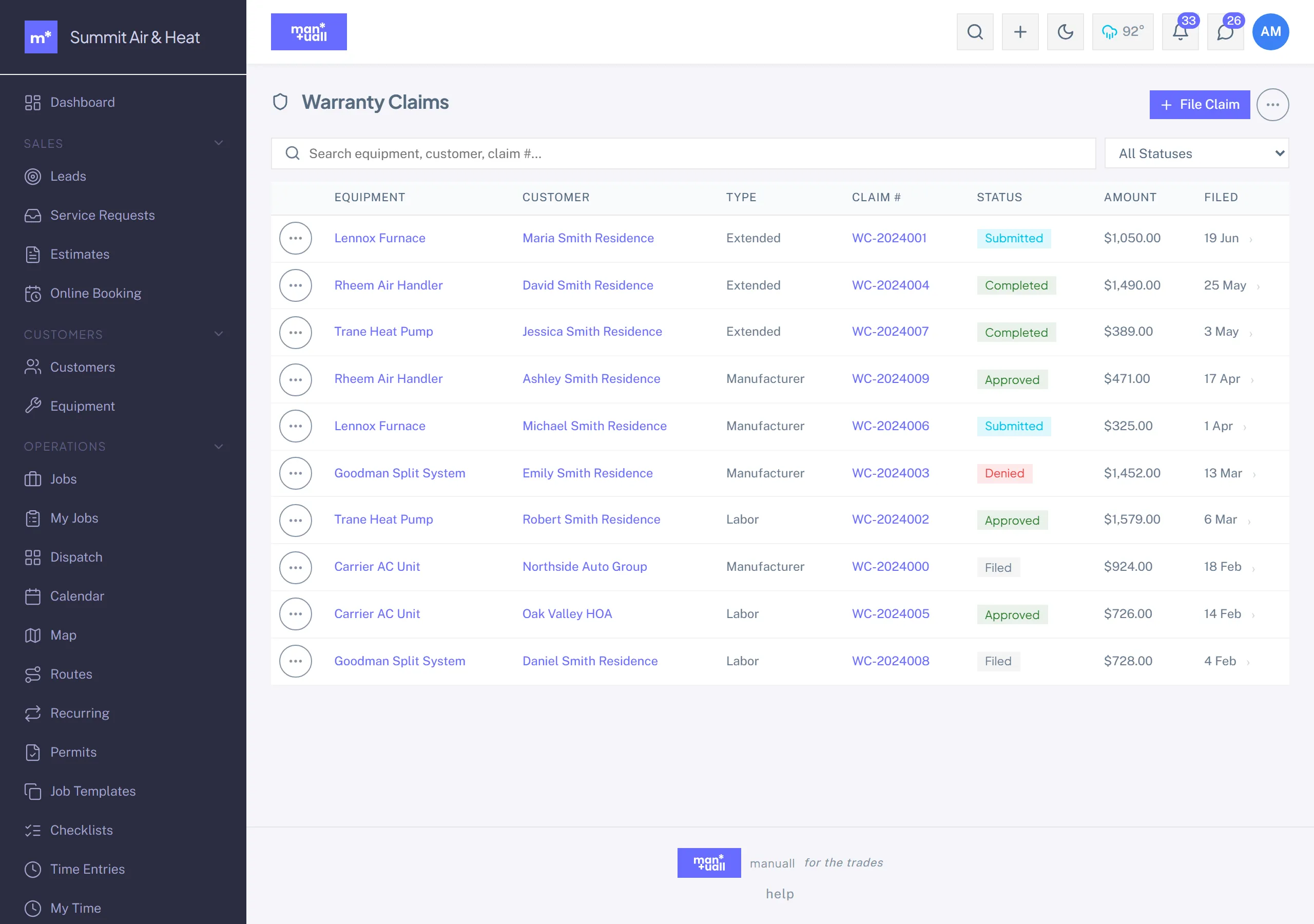
Logging a claim
- Customer calls: "The water heater you installed last month is leaking."
- Open the equipment (or the original job) and file a Warranty Claim.
- Describe the issue.
- Triage: is it covered? Move it through the workflow to Approved or Denied.
- If covered, Create Job from the claim. That spins up a callback job linked to the same customer and equipment, pre-titled "Warranty repair: ...". The tech runs it like any job, but the lines don't bill the customer.
- Record the claim amount and, once the manufacturer responds, the approved amount.
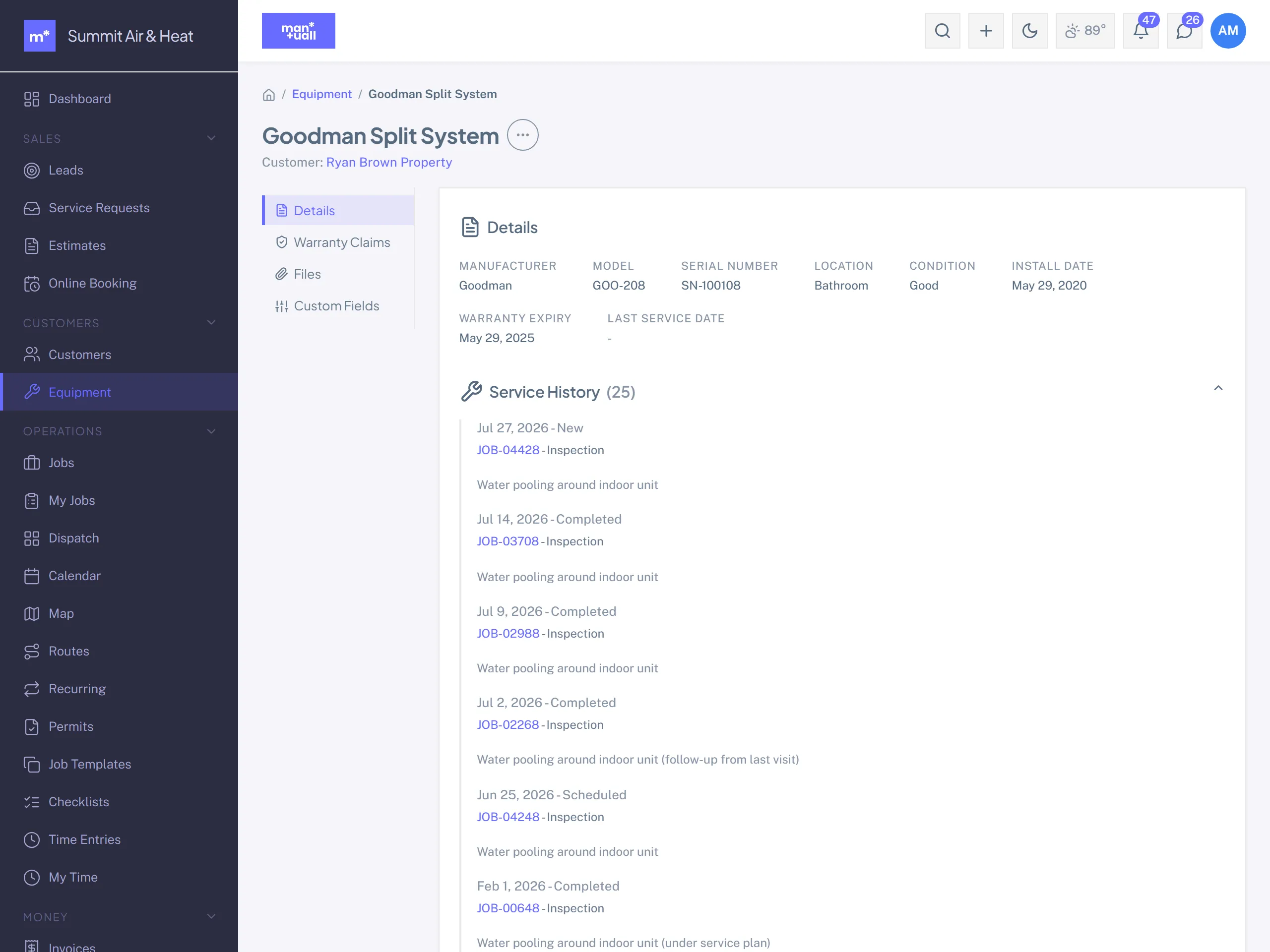
Why record the amounts
The Dashboard's warranty cost, Analytics -> Warranty & Claims, and the per-claim records all build on them. If you find 70% of your warranty cost traces to jobs one tech installed, that's a training opportunity (or a parts-quality or process one). Without tracking, you just eat it.
Customer-caused vs. our problem
The Denied path matters too. If the "warranty" issue was actually the customer's fault (wrong filter, knocked the unit), file the claim anyway and set it Denied with a reason. That documents the conversation, closes the loop in their portal, and keeps your warranty-rate honest.
Warranty terms by service
Keep your warranty terms where the whole crew can reach them: write a "Warranty Policy" article in the Knowledge Base listing each service or part class and its term, and have techs check it when a call comes in. One source of truth they can pull up from the field while triaging.
In Analytics
- Warranty & Claims -> Total Claims: open and closed.
- Warranty & Claims -> Approval Rate: a very low rate suggests installs failing early.
- Warranty & Claims -> Approved Amount: your absorbed cost this period.
- Warranty & Claims -> Avg Resolution Days: how fast you handle callbacks. Lower keeps customers happier.