
Public Booking
An anonymous booking page at /book/{CompanyCode} that turns website visitors into leads.
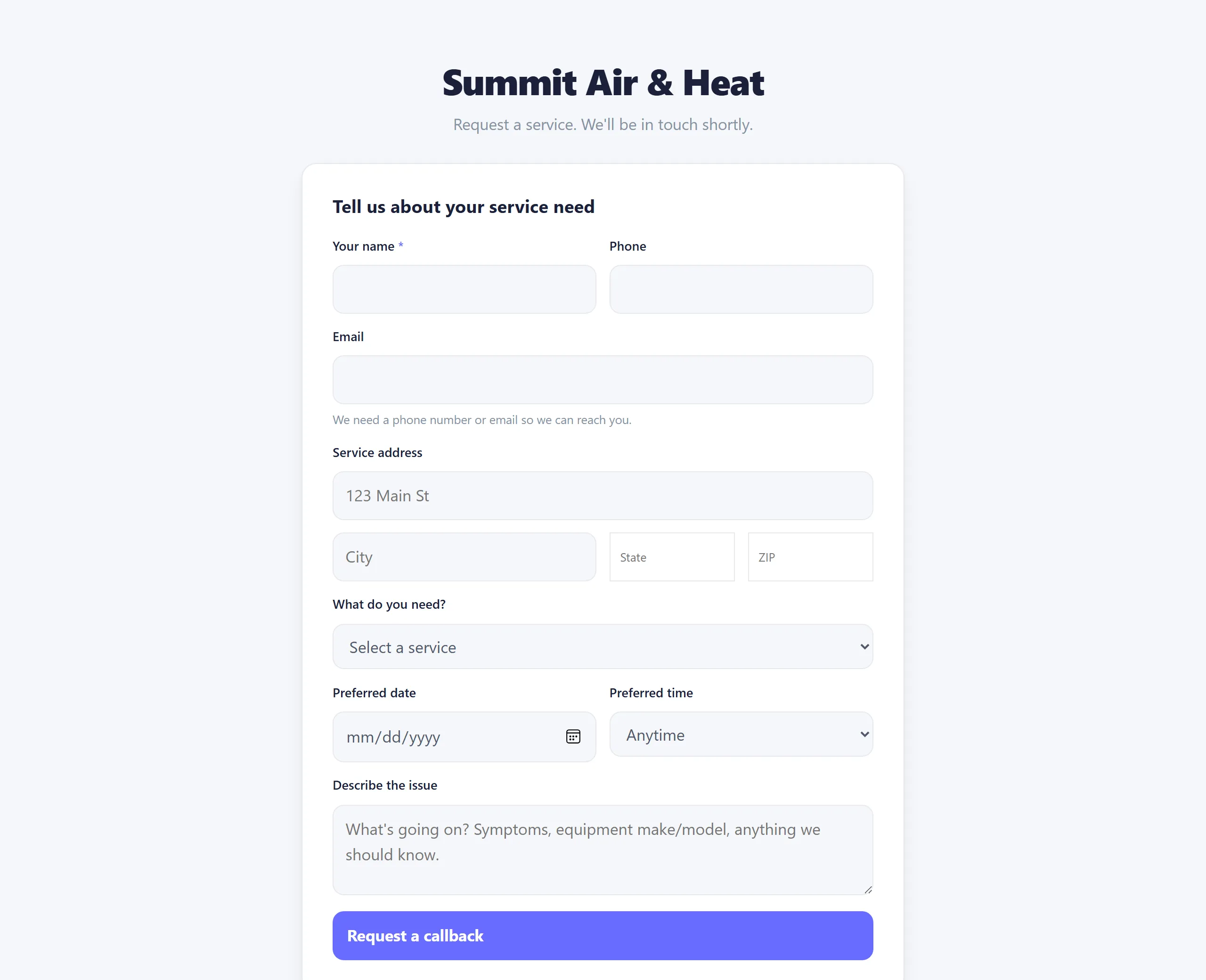
A public booking form at /book/{CompanyCode} for net-new prospects who don't have a customer record yet. No login, no account.
Where your link lives
It is live from day one, no setup. Copy it from the Online Booking page (top of the page) or Settings -> General, both with a one-click Copy button. The link is {your-site}/book/{your-company-code}.
If you ever change your company code (Settings -> General -> Company code), this link changes with it, so update it everywhere you've posted it. That's the main reason to pick a code you can live with up front.
Where prospects find it
- A link from your website.
- Your Google Business Profile.
- Business cards.
- An email signature.
What they submit
- Name, phone, email, address.
- Service type (from your Price Book).
- A short description ("My AC isn't cooling").
- Preferred date and time of day.
What lands in Manuall
A Lead with Source public_booking. It shows up under Sidebar -> Leads for your sales or dispatch team to triage.
Anti-spam
- A hidden honeypot field that bots fill and people don't.
- Rate limiting (5 submits per minute per IP).
Plan tier
Public Booking is on every plan. The page is public and always on.