
Seasonal Pricing
Date-window price adjustments for peak and off-season rates.
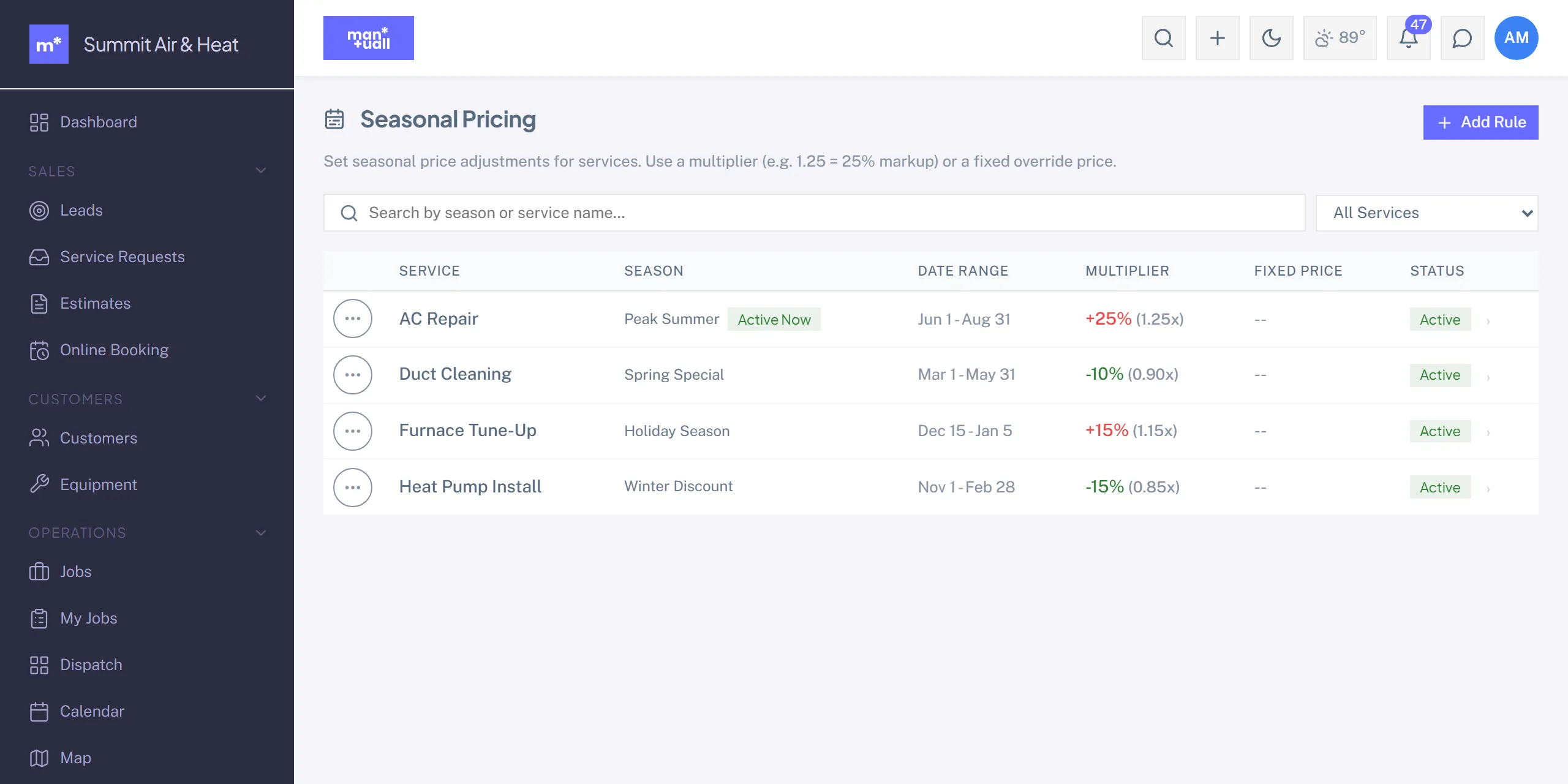
Seasonal Pricing applies a price adjustment to a service during a date window. Useful for trades with demand swings: HVAC summer and winter peaks, pool spring opens, holiday cleaning.
Setting one up
- Sidebar -> Seasonal Pricing.
-
- New seasonal price.
- Pick the service. Set the window by month and day (start to end). Set the adjustment as a percentage or a fixed price.
- Save.
The window is calendar-based (for example Jun 1 to Aug 31), so it recurs each year without you re-entering it.
How it applies
Inside the window, when the service is added to a new estimate, invoice, or job, the seasonal price takes over. The customer-tier default still picks the starting price, and the seasonal adjustment layers on top.
Common patterns
- HVAC peak summer: +20% on AC repair, June to August.
- Off-season discount: -15% on furnace inspections, April to May.
- Pool opens: +10% on pool opens, March to April.
- Holiday surcharge: +25% on holiday work.
Plan tier
Seasonal Pricing is on Business.