
For Dispatchers
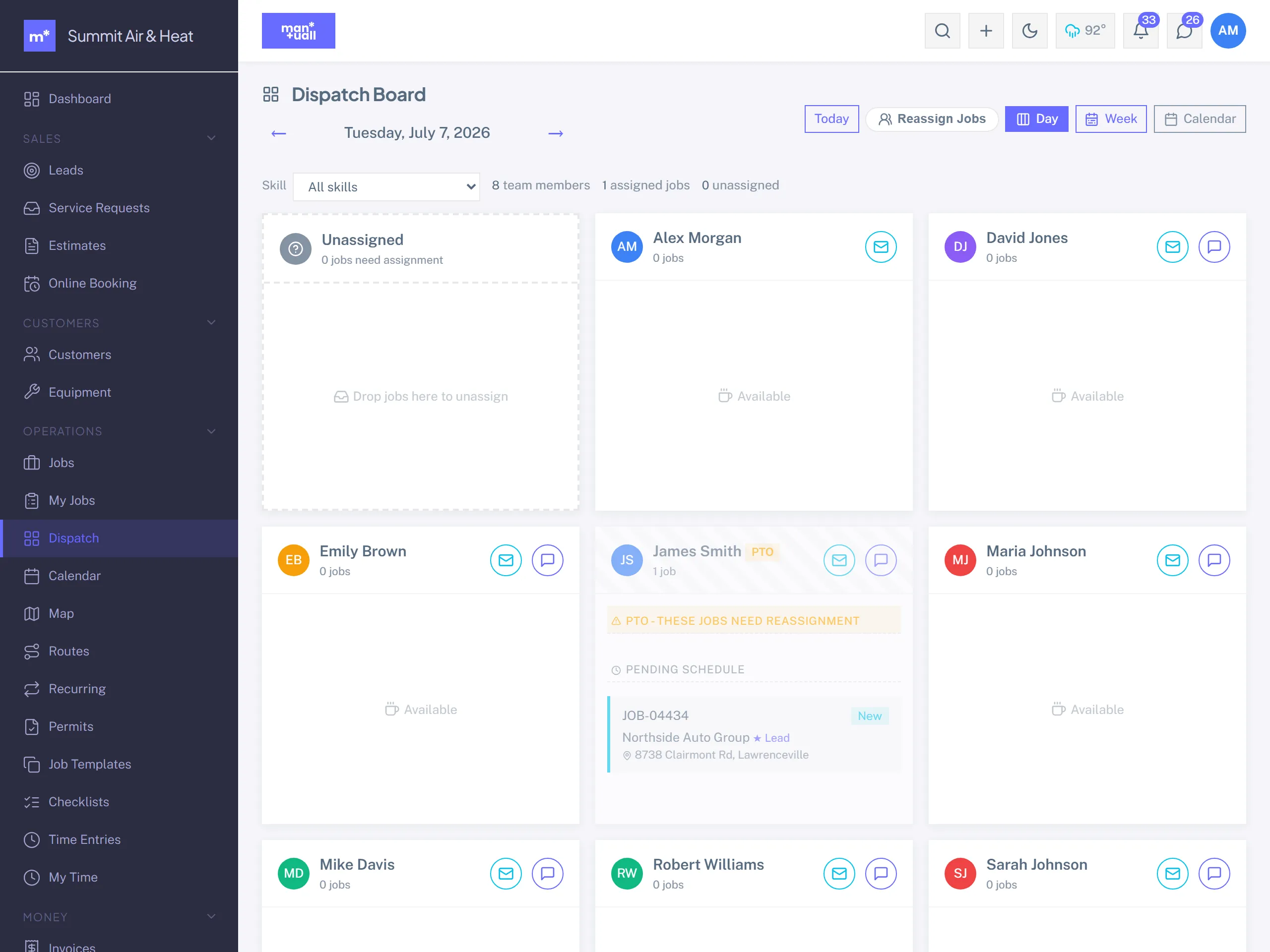
Route, schedule, and dispatch field crews with the slot finder and the drag-and-drop board.
For DispatcherDispatcher sits between inbound demand and outbound work. Leads arrive from your website, referrals, the portal request form, and the phone. Your job is to land each one on the right tech's calendar, at the right time with the right skill match, so the day flows.
Dana's Tuesday
8:00 am: work the lead pipeline
Sidebar -> Sales -> Leads, filter to New and Contacted. Read every row.
- Open the freshest one. The activity log is empty; you're the first touch.
-
- Activity -> Call. Phone the customer, log the call, move the status to Contacted.
- If they want a visit, the lead's Convert to Job action creates the job, links the customer (creating the record if the lead came from Public Booking), and drops you on the new job's edit form ready to schedule.
8:20 am: a caller with no record yet
Phone rings, no portal token, no lead, nothing. Skip lead creation:
- Sidebar -> Jobs -> + New Job.
- Customer dropdown -> + New customer (phoned in). Inline: name and phone.
- Save. The customer is created and the job is linked.
9:30 am: Suggest Slots
Three jobs need scheduling.
- Open the first unassigned job.
- Schedule section -> Suggest Slots. Manuall reads the job's required skills, your team's weekly schedules, current assignments, blockers, and the geographic spread.
- The top 10 candidates come back as cards, each showing the tech, the window, and why it ranked where it did.
- Click the one you like. Start, end, and assigned tech fill in. Save.
If Suggest Slots returns nothing.
The response lists which techs were excluded and why: "Mike: missing skill 'EPA 608'" or "Sarah: 47 mi outside her 30 mi radius." Use it to decide whether to widen a radius, add a skill to a profile, or schedule by hand.
10:00 am: reshuffle when something changes
Mike called in sick. Eight jobs need new homes.
- Sidebar -> Jobs, filter Assignee = Mike, Date = today and tomorrow.
- Tick all eight.
- Bulk Actions -> Assign another tech, or per-row use Suggest Slots to redistribute by best fit.
- Reassigning a scheduled job can email the affected customers a heads-up.
11:00 am: Service Requests inbox
The portal's Service Request form lets existing customers ask for more work.
- Sidebar -> Sales -> Service Requests.
- Open one: the request, attached photos, the customer's history, any active jobs.
- Create Job. The customer is auto-linked and the description, urgency, and preferred date carry over. Schedule it like any job.
Across the day: three views
| View | What it's for |
|---|---|
| Dispatch Board | Per-tech lanes. Drag jobs around. The morning view. |
| Calendar | Month, Week, Day, Timeline, Team. Conflict-checking and future planning. |
| Map & Routes | Today's pins on a map; reorder routes per tech; hand off to Google Maps. |
What a Dispatcher owns that a Tech doesn't
- Create and edit any customer, job, estimate, or lead.
- Use the Dispatch board to assign work across the whole team.
- Convert Service Requests to jobs.
- Manage Checklists (apply them to jobs).
The lanes you can't cross
- Invoices, payments, Recurring Invoices: that's Manager territory.
- Analytics, Customer Feedback, Audit Log.
- Price Book and Job Template editing.
- Payroll Export.
End-of-day checklist
- Every job for tomorrow has a tech and a slot.
- Every Service Request from today is scheduled, replied to, or closed with a reason.
- Every lead from today has at least one activity logged.
- Tomorrow's Dispatch board looks calm.